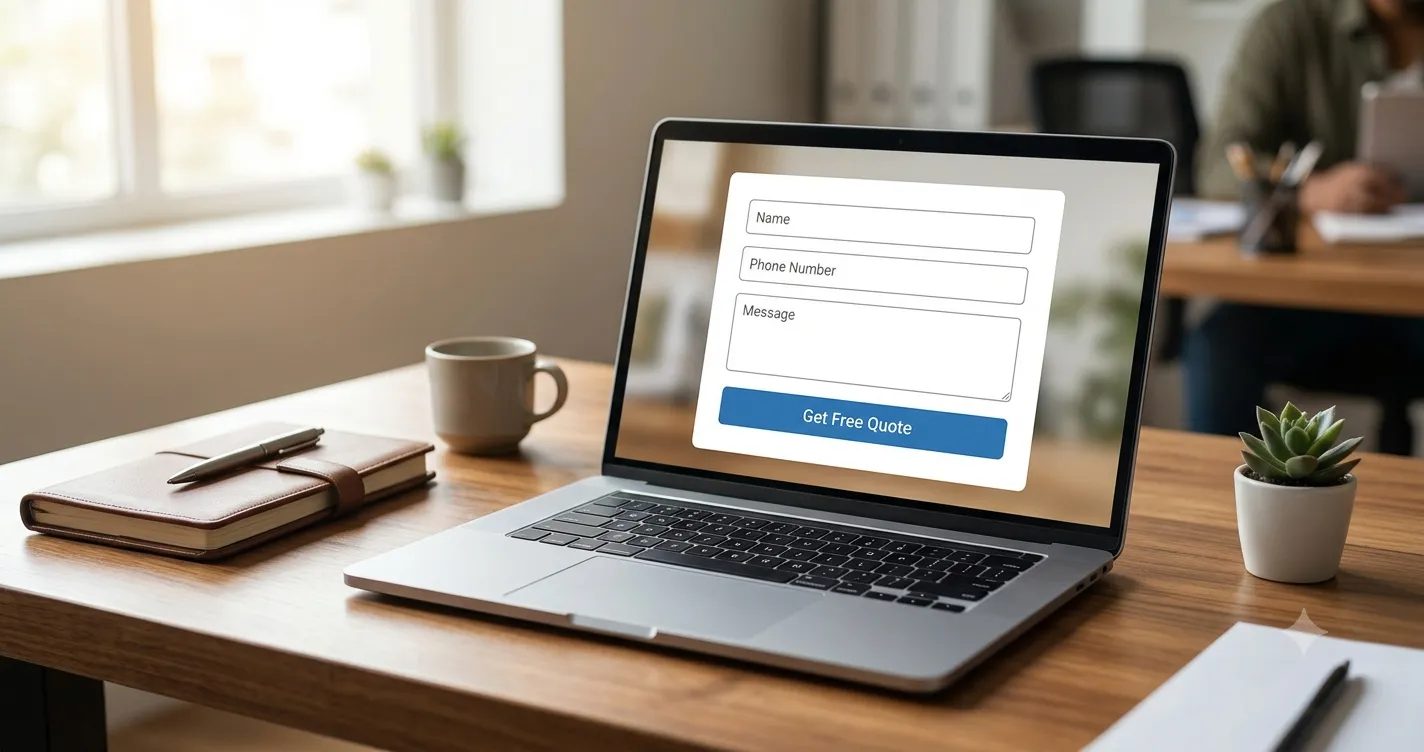
Most Indian small businesses spend money on ads, SEO, and social media to bring visitors to their website. But when those visitors land on the site, many leave without filling the contact form. The form itself is often the weakest link.
The good news? You don’t need a complete website redesign. Small, practical changes to your contact form can significantly increase the number of enquiries you receive from the same traffic.
Here are 10 simple and proven fixes that work especially well for Indian businesses.
1. Make the Form Visible Above the Fold
If someone has to scroll to find your contact form, many will never see it. Place a short version of the form (or a clear “Get a Free Quote” button that opens the form) in the first screen of your homepage and service pages.
On mobile, this becomes even more important. Most Indian users browse on phones, and scrolling feels like extra effort.
2. Reduce the Number of Fields
Every extra field reduces the chance that someone will complete the form. For most service businesses, these three fields are enough:
- Name
- Phone number
- Message / Requirement
Email can be optional. Asking for city, budget, company name, and “how did you hear about us” in the first form usually hurts more than it helps. You can collect extra details later during the call or WhatsApp conversation.
3. Use Clear and Benefit-Focused Labels
Instead of generic labels like “Submit” or “Send Message”, use action-oriented text such as:
- “Get Free Quote”
- “Call Me Back”
- “Send My Requirement”
- “Talk to an Expert”
People respond better when they clearly understand what will happen after they click.
4. Add Trust Signals Near the Form
Many visitors hesitate to share their phone number. Reduce that hesitation by placing small trust elements right next to the form:
- “We reply within 15–30 minutes”
- “Your number is safe with us”
- A short line like “500+ businesses already trust us”
- Google rating or client logos (if you have them)
Even a simple sentence can increase form submissions.
5. Make the Phone Field Easy on Mobile
Most leads now come from mobile. Ensure the phone field:
- Opens the number keypad automatically
- Accepts numbers with or without +91
- Does not force a specific format that frustrates users
A small detail like this removes friction.
6. Show What Happens After Submission
After someone submits the form, don’t just show a boring “Thank you” message. Tell them clearly:
- “We have received your request. Our team will call you within 30 minutes.”
- Or redirect them to a thank-you page that also offers a WhatsApp button.
Setting the right expectation reduces anxiety and makes the person feel taken care of.
7. Fix Technical Issues That Silently Kill Leads
Many websites lose leads because of technical problems:
- Form submissions going to spam
- Form not working on mobile
- CAPTCHA that is too difficult
- Form plugin conflicts after a theme or plugin update
Regularly test your form on both mobile and desktop. Submit a test enquiry yourself every week. If the form fails even once, you may be losing real customers without knowing.
8. Offer an Alternative — WhatsApp Button
A large number of Indian users prefer WhatsApp over filling forms. Place a clear WhatsApp button near the contact form or in the header. Many people who don’t want to fill a form will still message you on WhatsApp.
You can even write: “Prefer WhatsApp? Message us directly.”
9. Use Smart Follow-up on Form Submissions
Getting the lead is only half the work. If you reply after several hours (or the next day), the person has often already spoken to someone else.
The fastest businesses reply within minutes — via call or WhatsApp. This single habit converts more leads than most other marketing tactics.
If you receive leads from multiple forms or websites, managing them in email becomes messy. A simple lead inbox that shows every new enquiry in one place (with the source and message) helps your team respond much faster.
10. Test One Change at a Time
Don’t change everything together. Pick one improvement (for example, reducing fields or changing the button text), run it for 1–2 weeks, and check if enquiries increased. Then move to the next change.
Small, measured improvements compound over time.
Try CRM free for 14 days — no card needed.